USB-C Powered Mesh Node
Platform: Heltec LoRa Series (Wireless Stick Lite V3 / ESP32-S3)
Overview
A durable, weather-resistant LoRa mesh node built inside a round metallic electrical junction box. Powered externally via a panel-mount USB-C pass-through connector installed directly into a bottom screw-in cover, this node combines continuous USB power with an internal Li-ion backup battery, a 3D-printed board mount, an inline power switch, and a side-mounted right-angle Muzi whip antenna for flexible deployment.
Bill of Materials (BOM)
| Category / Item | Quantity / Packaging | Link / Supplier |
|---|---|---|
| Enclosure: Round Metallic Weatherproof Junction Box | 1 Unit | Amazon |
| Microcontroller / RF: Heltec Wireless Stick Lite V3 | 1 Unit | Heltec |
| 3D Printed Mount: Heltec Wireless Stick Lite Holder | 1 Print | Printables (#837546) |
| Antenna: Muzi 915MHz SMA Whip Antenna | 1 Unit | Amazon |
| RF Hardware: Right-Angle SMA Male to Female Adapter | 1 Unit | Amazon |
| Power Input Port: Waterproof USB-C Panel Mount Connector | 1 Unit | Amazon |
| Backup Battery: 3000mAh Single-Cell Li-Ion Battery | 1 Cell | Amazon |
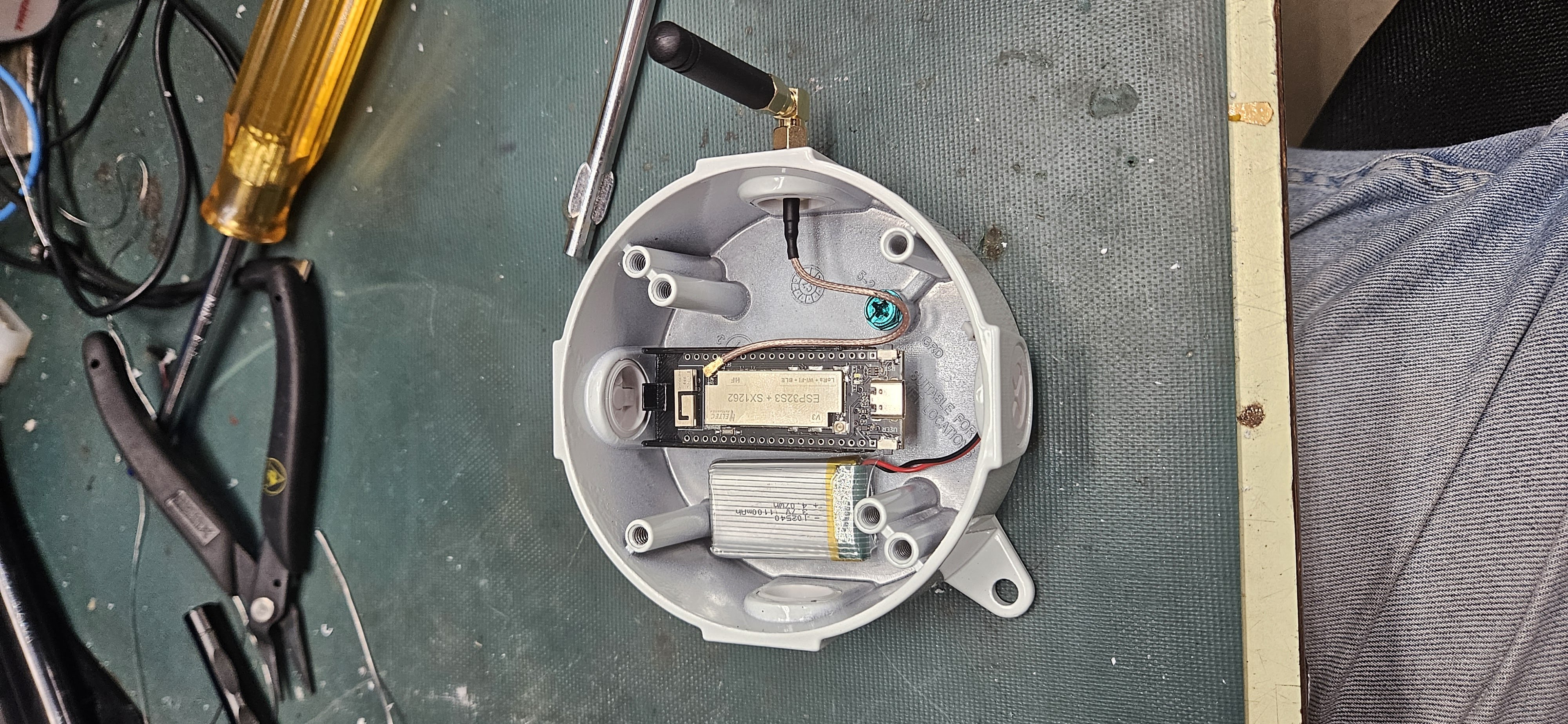
Build & Assembly Steps
Step 1: Enclosure Drilling & Screw-In Cover Modifications
Instead of drilling directly into the main cast body of the junction box, drill out the removable screw-in port covers:
- Drill the side screw-in cover to accept the SMA female bulkhead pigtail.
- Drill the bottom screw-in cover to mount the waterproof USB-C panel-mount bulkhead connector.
Step 2: 3D Board Mount & Component Fitment
3D print the snap-in board holder (Printables #837546) for the Heltec Wireless Stick Lite V3.
Mount the Heltec board into the printed bracket and secure the bracket centrally inside the junction box using adhesive or mounting screws. Tuck the 3000mAh Li-ion battery securely along the inner wall.
Thread the drilled side screw-in cover back into the enclosure port with the SMA bulkhead mounted and properly grounded to the chassis, then attach the U.FL/IPEX pigtail to the Heltec board's IPEX connector.
Step 3: USB-C Pass-Through & Power Switch Wiring
Install the waterproof USB-C panel-mount jack into the drilled bottom screw-in cover and thread the cover back onto the bottom port.
Route the internal USB-C cable directly into the Heltec board's USB-C port to provide main 5V power and full serial connectivity. Wire an inline power switch into the positive battery lead and position it near the top cavity for easy access during maintenance.
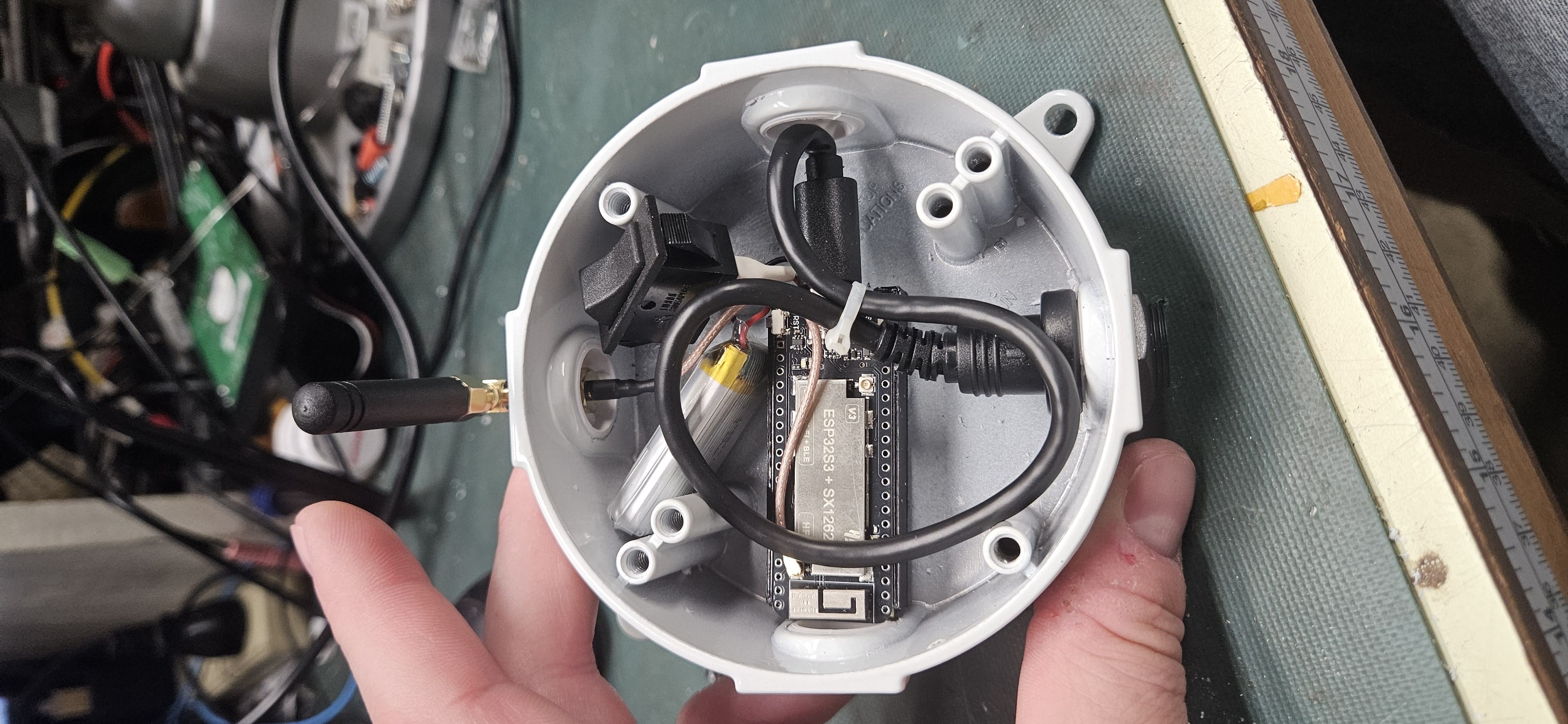
Step 4: Antenna Attachment & Field Deployment
Thread the right-angle SMA adapter onto the external side bulkhead so the antenna points vertically.
Connect an external USB-C power cable to test operation, align the round cover plate gasket, and tighten the cover screws to seal the build.